How can we help?
Short, step-by-step guides for the things people ask about most. My Prayer Connect is free for every member and every group.
Step guide 6
Update a prayer request
- Open Requests and select Yours to find a request you shared.
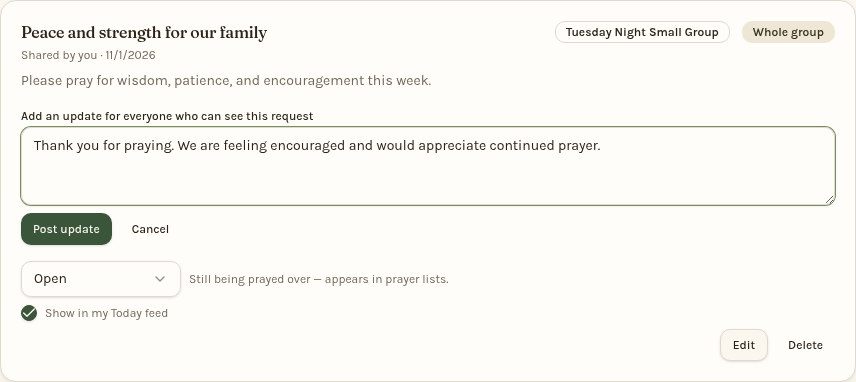
- Tap Add update, write a progress note, and tap Post update. Everyone who can see the request can see its updates.
- To change the original title or details, tap Edit, make your changes, then tap Save changes.
- When appropriate, change the Open selector to Answered or Closed. Add an optional note and tap Save, or choose Skip note.
Answered and closed requests leave the daily prayer list. Open requests receive an update email after 30 days without an update, repeating every 30 days. Posting an update restarts that clock. Emails arrive at 10 AM Eastern, no more than one per person per day, and show the actual days since sharing or the last update.
Still stuck? Email info@myprayerconnect.com and we'll gladly help.
Create your free account