How can we help?
Short, step-by-step guides for the things people ask about most. My Prayer Connect is free for every member and every group.
Step guide 5
Join a group
- Ask your group leader for the group's activation code or an email invitation.
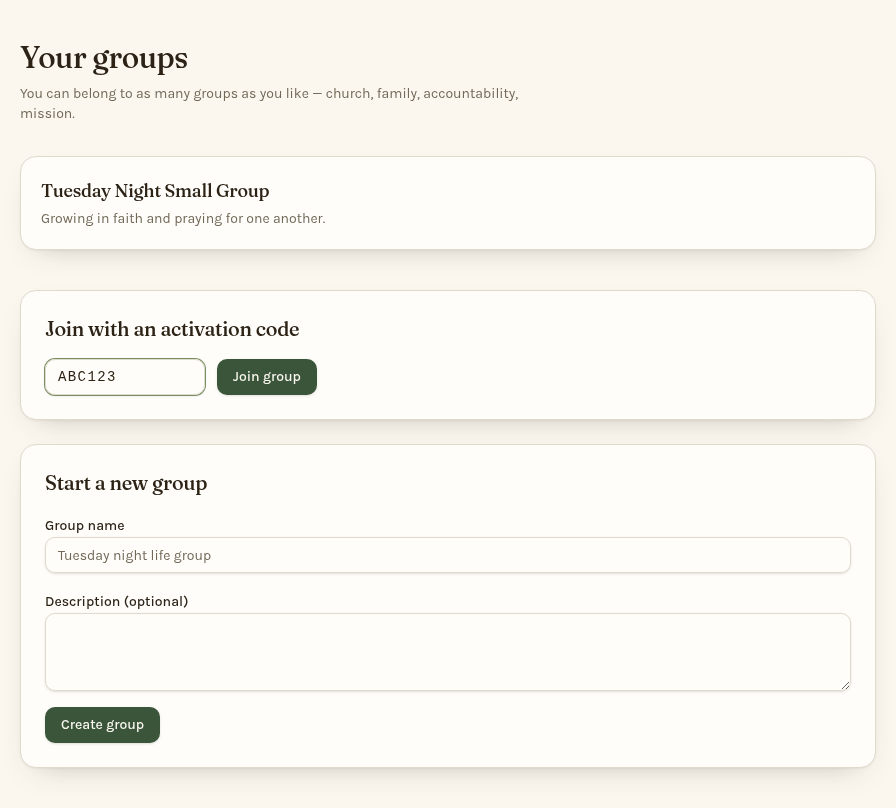
- Sign in and open Groups.
- Under Join with an activation code, enter the code and tap Join group.
- Your group appears under Your groups. Tap its name to see requests, meeting details, and members.
If you received an email invitation, use its link and create an account or sign in with the invited email address. If a code doesn't work, ask your leader to check it. You can join more than one group.
Still stuck? Email info@myprayerconnect.com and we'll gladly help.
Create your free account