How can we help?
Short, step-by-step guides for the things people ask about most. My Prayer Connect is free for every member and every group.
Step guide 7
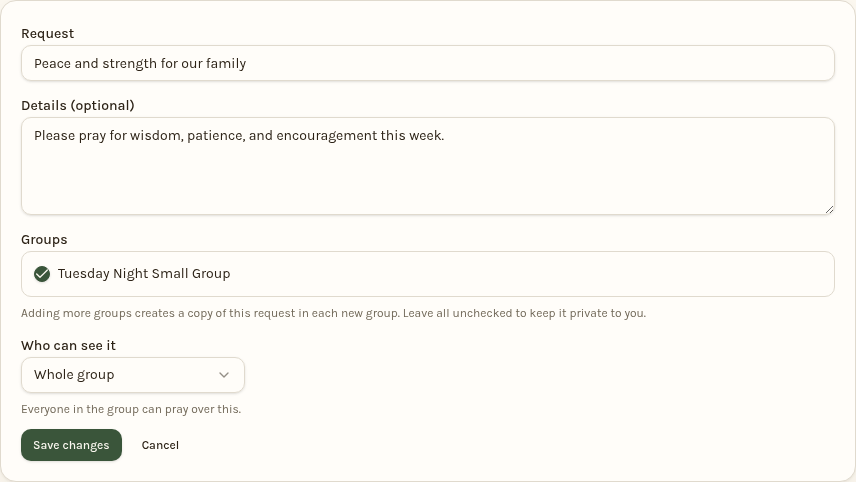
Choose who sees your request
- Open Requests. Start a new request, or tap Edit on one of your existing requests.
- Under Groups, check each group you want to share with. Leave all groups unchecked for a personal, private request.
- Choose Who can see it: Whole group shares with members of the selected groups; Leaders only shares with their leaders; Just me keeps it private to you.
- For an existing request, tap Save changes. For a new one, tap Share request or Save private request.
Updates follow the request's visibility. Sharing with several groups does not create repeated entries in your daily prayer list. You can change your selection later.
Still stuck? Email info@myprayerconnect.com and we'll gladly help.
Create your free account