How can we help?
Short, step-by-step guides for the things people ask about most. My Prayer Connect is free for every member and every group.
Step guide 4
Turn on text reminders
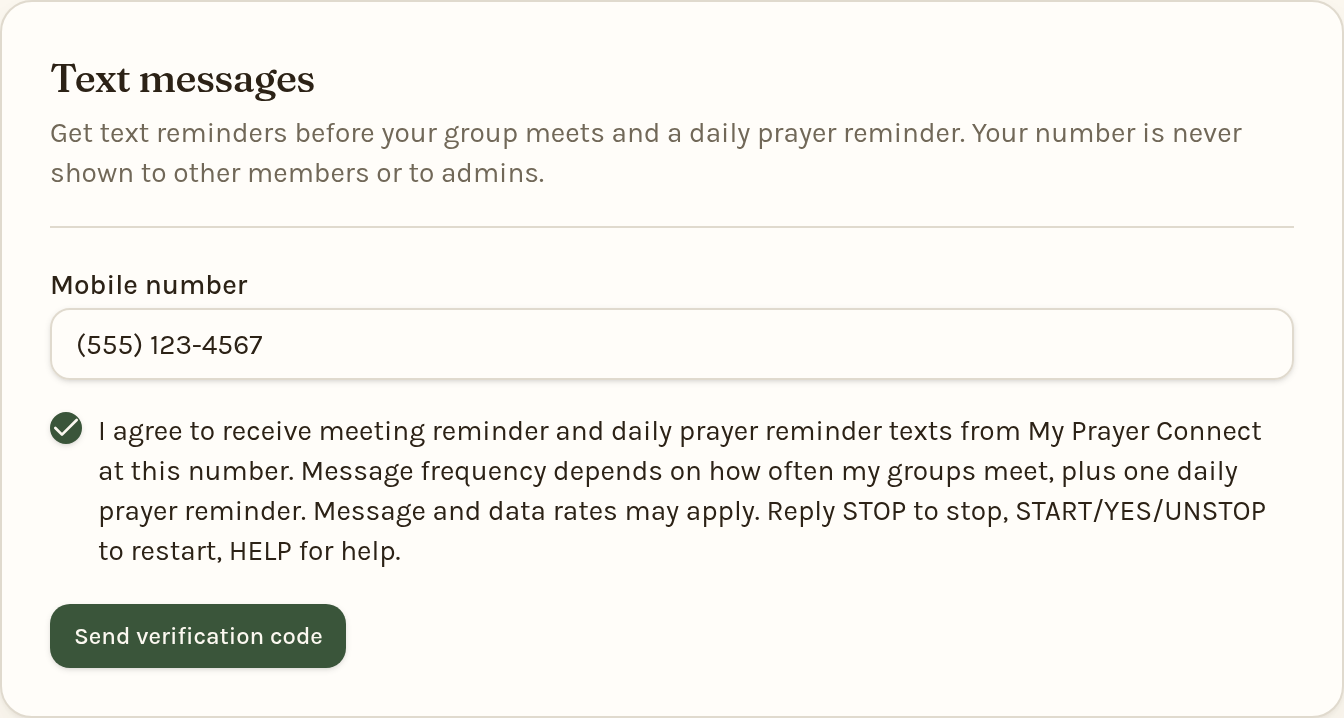
- Sign in, tap the gear icon, and choose Account. Scroll to Text messages.
- Enter your Mobile number.
- Check the box agreeing to receive meeting reminder and daily prayer reminder texts, then tap Send verification code.
- Type the 6-digit code we text you and tap Verify number.
- Choose which texts you want:
- Send me text reminders for my group meetings — a text before each group meeting.
- Send me a daily prayer reminder text — then pick the Time of day you'd like it.
Reply STOP to any text to stop all texts, START to turn them back on, or HELP for help. Message and data rates may apply. You can also tap Remove my number on your Account page at any time.
Still stuck? Email info@myprayerconnect.com and we'll gladly help.
Create your free account