How can we help?
Short, step-by-step guides for the things people ask about most. My Prayer Connect is free for every member and every group.
Step guide 1
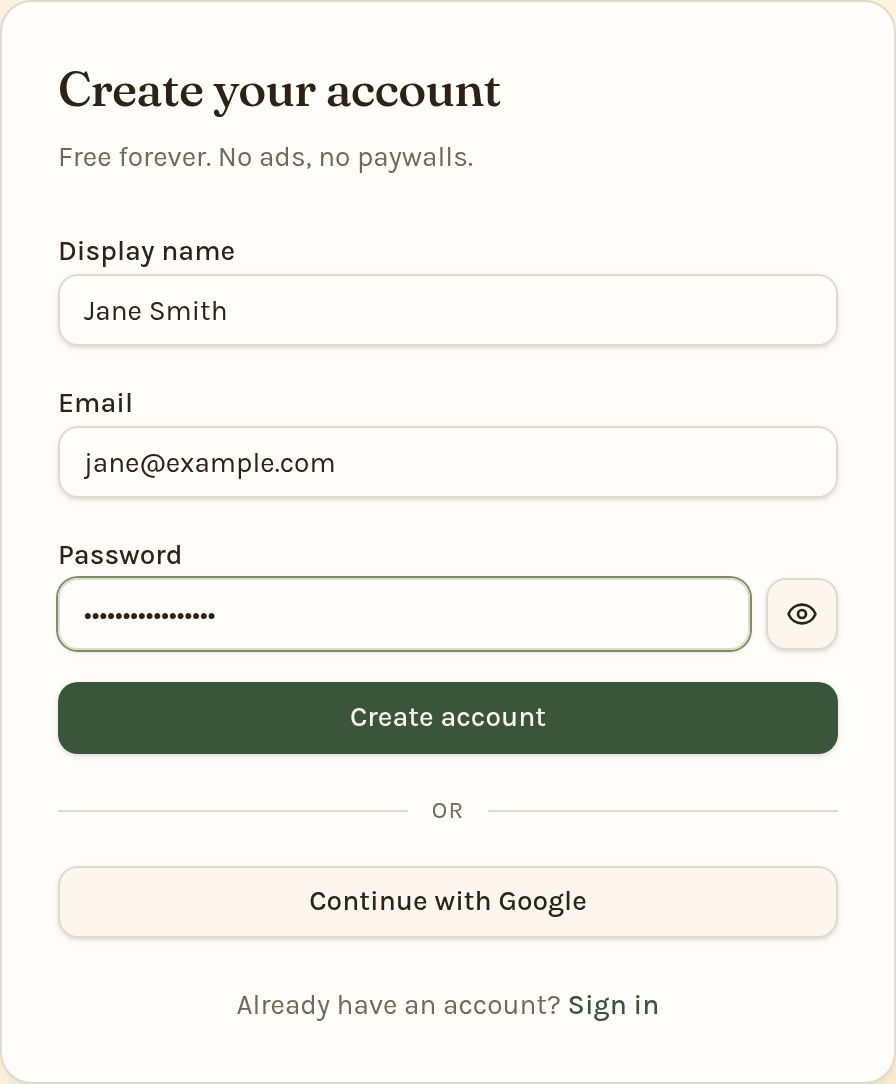
Create an account
- Go to the sign-up page (or tap Sign in at the top of any page, then Create one).
- Enter your Display name — this is the name your group will see — plus your Email and a Password.
- Tap Create account.
- Check your inbox for a confirmation email from My Prayer Connect and click the link inside to finish setting up. (Look in your spam folder if it doesn't arrive in a few minutes.)
- Sign in. To join your small group, open Groups and enter the activation code your leader gave you under Join with an activation code, then tap Join group.
Prefer Google? Tap Continue with Google instead of filling in the form. If a leader emailed you an invitation, use the link in that email — you'll be added to their group automatically. New accounts that didn't come from an invitation are reviewed briefly before they're fully active.
Still stuck? Email info@myprayerconnect.com and we'll gladly help.
Create your free account